
I’m Jay Stakelon. I'm a product designer who makes software for work and for fun.
I’m Jay Stakelon. I'm a product designer who makes software for work and for fun.
Dropbox
Dropbox
Dropbox
Now
Dropbox
Now
I'm a principal product designer working on Dropbox Dash ↗, a new universal search tool that makes it easy to get information no matter where it lives or which apps you use. My main focus right now is using ⚡️ generative AI and semantic search ↗ to make personal and company knowledge accessible and useful.
I'm a principal product designer working on Dropbox Dash ↗, a new universal search tool that makes it easy to get information no matter where it lives or which apps you use. My main focus right now is using ⚡️ generative AI and semantic search ↗ to make personal and company knowledge accessible and useful.
I'm a principal product designer working on Dropbox Dash ↗, a new universal search tool that makes it easy to get information no matter where it lives or which apps you use. My main focus right now is using ⚡️ generative AI and semantic search ↗ to make personal and company knowledge accessible and useful.
I'm a principal product designer working on Dropbox Dash ↗, a new universal search tool that makes it easy to get information no matter where it lives or which apps you use. My main focus right now is using ⚡️ generative AI and semantic search ↗ to make personal and company knowledge accessible and useful.
Animation from the Dropbox Dash ↗ website
Animation from the Dropbox Dash ↗ website
Animation from the Dropbox Dash ↗ website
Dropbox
2019–2022
Dropbox
2019–2022
I joined Dropbox as a staff product designer to work on ✨ new products. I led design on Dropbox Replay ↗, a product for media creators and teams who collaborate on video projects. I also worked on design strategy for Dropbox’s core product, managed designers, and worked on other new bets like Dropbox Spaces ↗.
I joined Dropbox as a staff product designer to work on ✨ new products. I led design on Dropbox Replay ↗, a product for media creators and teams who collaborate on video projects. I also worked on design strategy for Dropbox’s core product, managed designers, and worked on other new bets like Dropbox Spaces ↗.
I joined Dropbox as a staff product designer to work on ✨ new products. I led design on Dropbox Replay ↗, a product for media creators and teams who collaborate on video projects. I also worked on design strategy for Dropbox’s core product, managed designers, and worked on other new bets like Dropbox Spaces ↗.
I joined Dropbox as a staff product designer to work on ✨ new products. I led design on Dropbox Replay ↗, a product for media creators and teams who collaborate on video projects. I also worked on design strategy for Dropbox’s core product, managed designers, and worked on other new bets like Dropbox Spaces ↗.
Animation from the Dropbox Replay ↗ website
Animation from the Dropbox Replay ↗ website
Animation from the Dropbox Replay ↗ website
OCULUS
2018–2019
OCULUS
2018–2019
I was a design lead on the core system experience for 🥽 Quest, the top-selling virtual reality device. I led a redesign of the Quest system experience ↗ that made VR more social and easier to use, and to put Quest on a path to becoming a mixed-reality computing platform ↗.
I was a design lead on the core system experience for 🥽 Quest, the top-selling virtual reality device. I led a redesign of the Quest system experience ↗ that made VR more social and easier to use, and to put Quest on a path to becoming a mixed-reality computing platform ↗.
Video from the Meta Quest ↗ YouTube channel
Video from the Meta Quest ↗ YouTube channel
Video from the Meta Quest ↗ YouTube channel
2017–2018
2017–2018
I was a product designer on the Facebook App where I led design strategy for a new team and product initiative that helped people 🔎 discover things related to their interests, redesigned and improved local and business search ↗, worked on the Facebook Lite ↗ app for emerging markets, and modernized Facebook search.
I was a product designer on the Facebook App where I led design strategy for a new team and product initiative that helped people 🔎 discover things related to their interests, redesigned and improved local and business search ↗, worked on the Facebook Lite ↗ app for emerging markets, and modernized Facebook search.
2015–2017
2015–2017
I managed the Facebook 📺 video design team. I led a team of amazing designers who built publisher tools ↗, helped scale Live, launched the Video tab ↗, designed TV apps, and leveled up our mobile and web video experiences ↗.
I managed the Facebook 📺 video design team. I led a team of amazing designers who built publisher tools ↗, helped scale Live, launched the Video tab ↗, designed TV apps, and leveled up our mobile and web video experiences ↗.
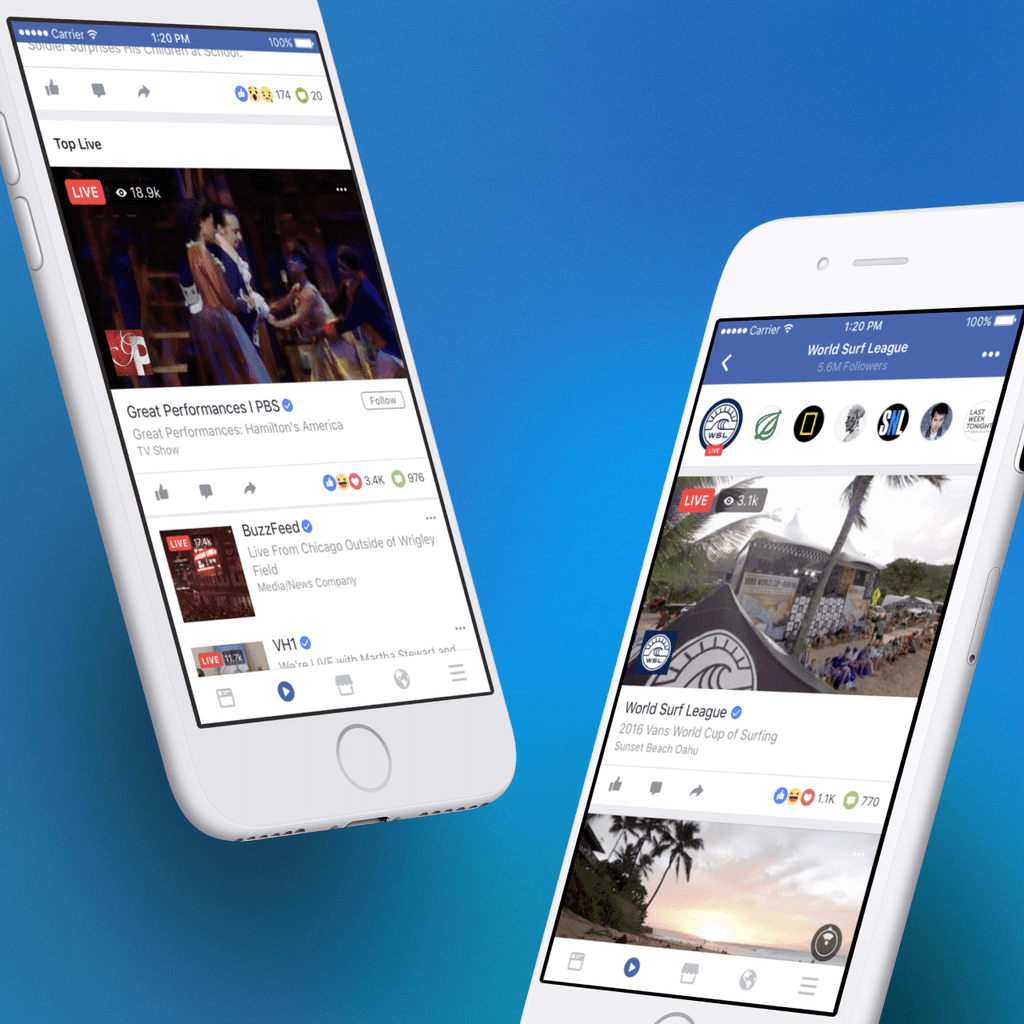
Screenshots from a Facebook Live ↗ launch announcement
Screenshots from a Facebook Live ↗ launch announcement
Screenshots from a Facebook Live ↗ launch announcement
Fullscreen
2011–2015
Fullscreen
2011–2015
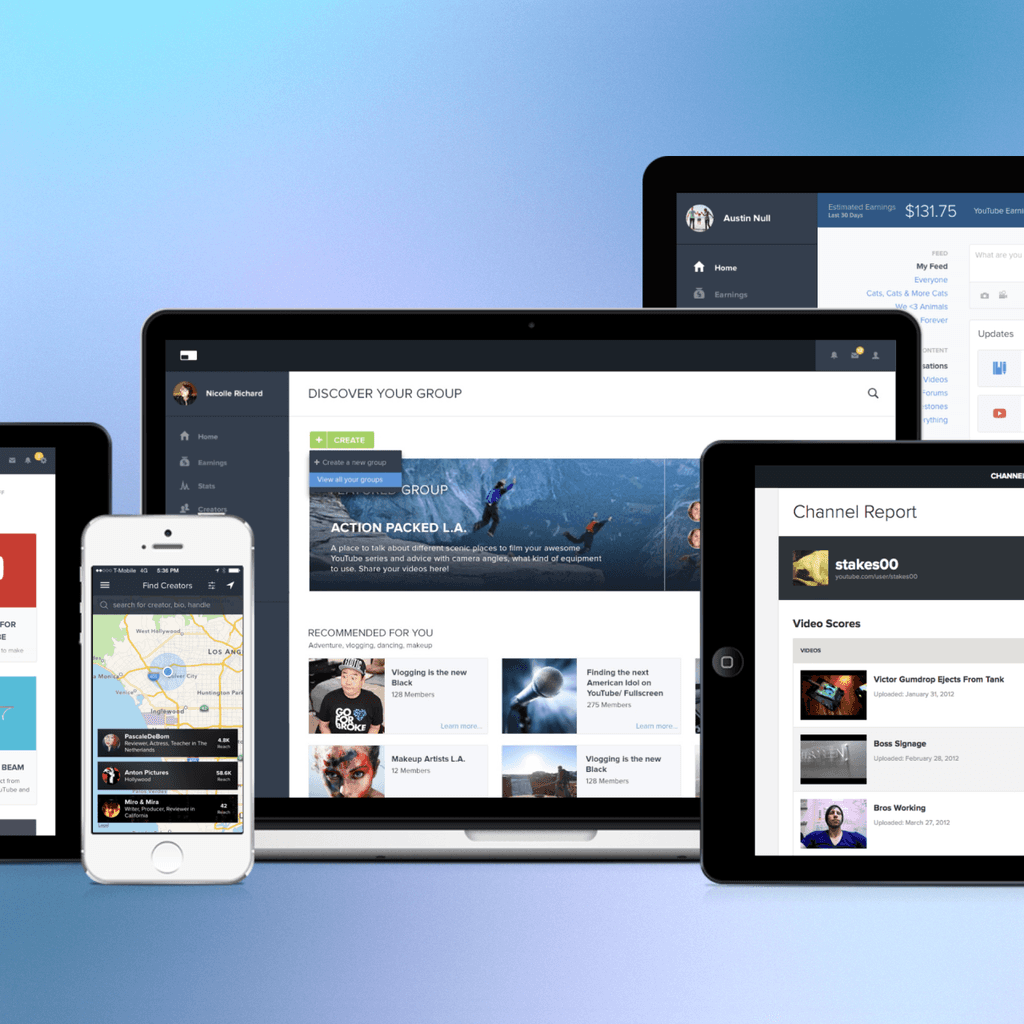
I was the first full-time employee and the head of design and product at video startup Fullscreen ↗. I built up the product and design practices from scratch, and led teams that shipped tools for video creators ↗, an influencer content marketplace ↗ for brand advertisers, and a 📱 short-form mobile streaming video service ↗.
I was the first full-time employee and the head of design and product at video startup Fullscreen ↗. I built up the product and design practices from scratch, and led teams that shipped tools for video creators ↗, an influencer content marketplace ↗ for brand advertisers, and a 📱 short-form mobile streaming video service ↗.
Side Projects
A Web3 music project combining handcrafted beats with computercrafted pixels.
A collection of menu bar apps for your Mac that make everyday tasks a little easier.
2020–2021
2020–2021
2020–2021
2020–2021
USDR is a nonprofit organization that helps governments and organizations support critical public needs. I volunteered on multiple COVID-19 response projects ↗ with USDR.
A little sound machine for your Mac that takes you places.
An (unfortunately) unreleased Figma plugin that lets you give memorable feedback in sticker form.
2020
2020
2020
2020
A Figma plugin that enables realtime emotes and stickies in your Figma files.
ThingsMade™
ThingsMade™
ThingsMade™
ThingsMade™
2018–2019
2018–2019
2018–2019
2018–2019
ThingsMade™ was my short-lived YouTube influencer side hustle where I shared design and prototyping tutorials.
Frameless was an open-source iOS browser created for designers and prototypers.
Design Education + Mentorship
2016–2019
2016–2019
2016–2019
2016–2019
Prototyping and career development
University of Southern California
University of Southern California
University of Southern
California
University of Southern California
2016
2016
2016
2016
Viterbi School of Engineering Industry Advisory Board ↗